
Run your WhatsApp sales like a pro.
Log orders, send payment requests and receipts in one click, chase unpaid customers, and see exactly how much you made, right beside your WhatsApp chats.
Works with WhatsApp Web in Google Chrome · No sign-up · Your data stays on your device
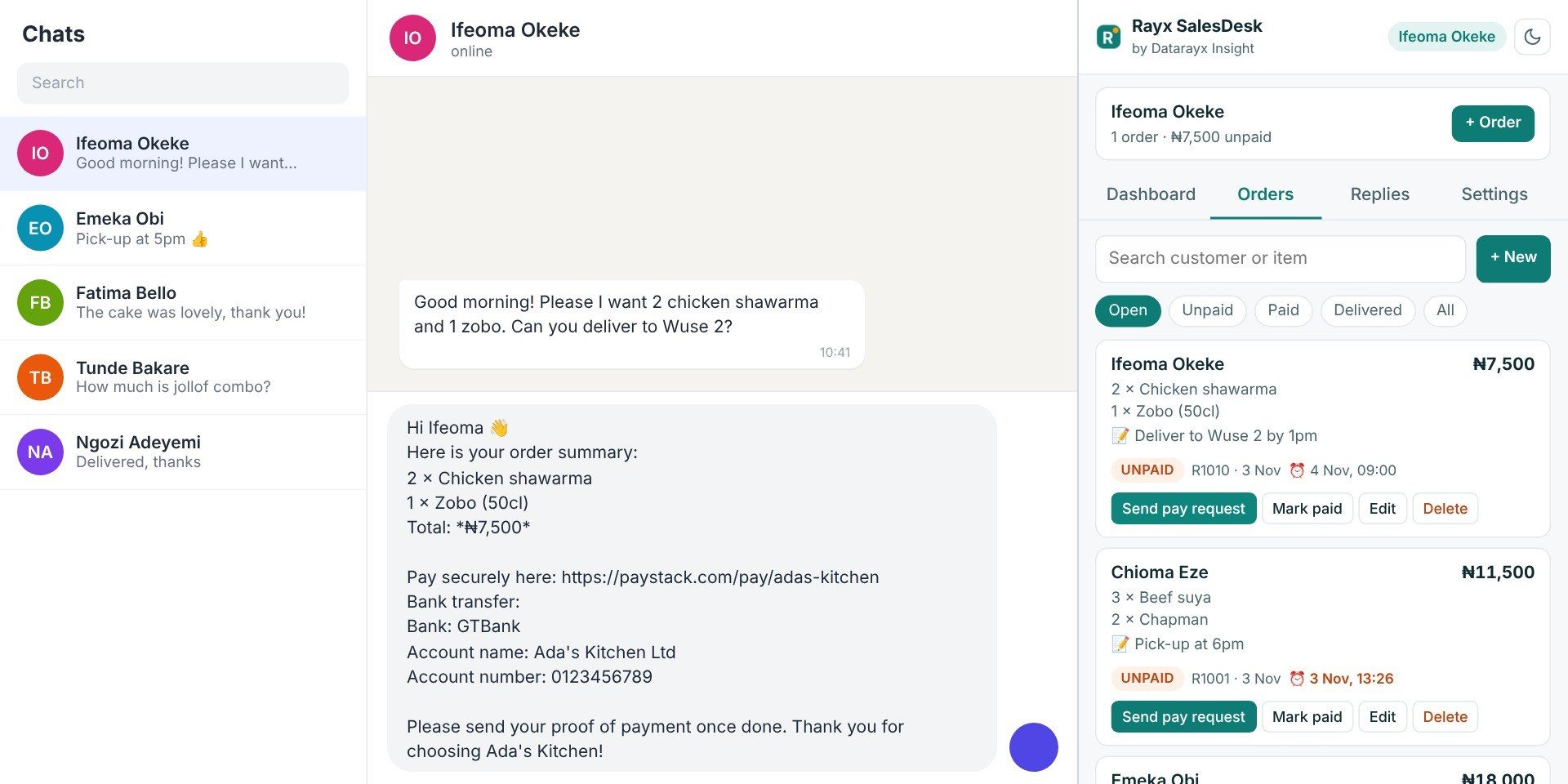
From chat to paid in three steps
Open a customer's chat
SalesDesk sees who you're talking to and shows their orders and what they still owe.
Log the order
Items, amount, delivery note and a follow-up reminder. Each order gets its own number.
Get paid
Send a payment request in one click, mark it paid, and send a receipt.
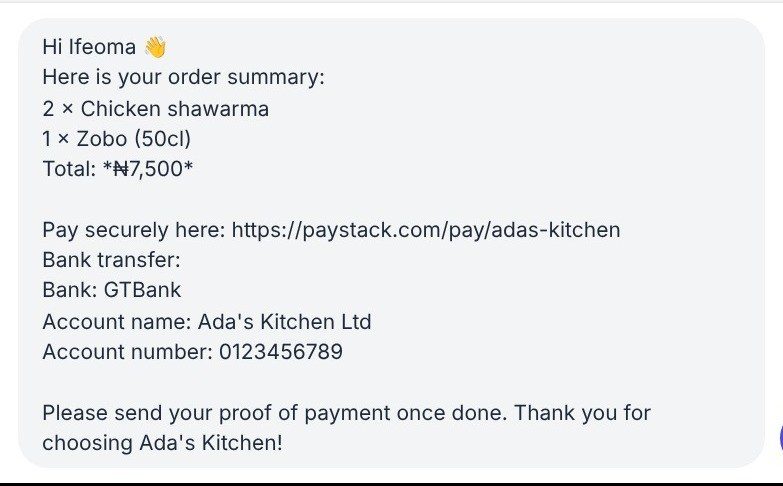
Ask for payment without typing a thing
One click writes the order summary, total, your Paystack or Flutterwave link and your bank details into the chat. You check it and press send.
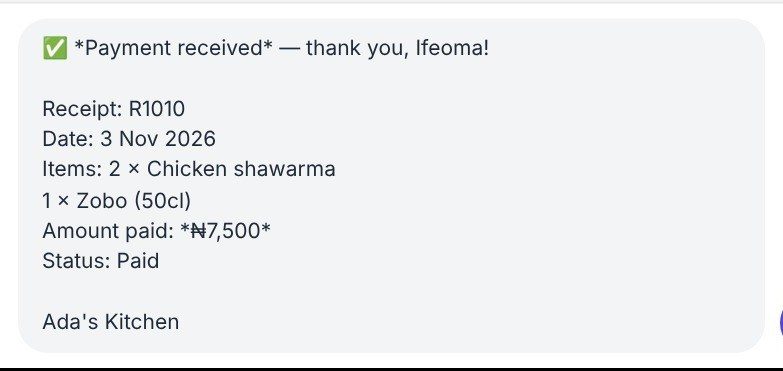
Look professional on every sale
Mark an order paid and send a neat receipt with its own number, date, items and amount. Customers trust businesses that keep records.
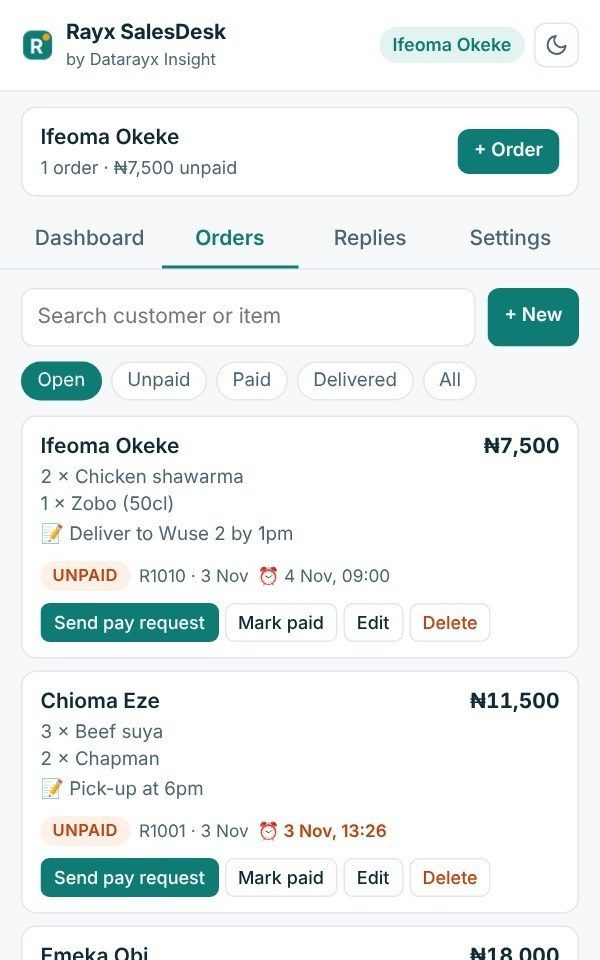
Never lose an order in the chat again
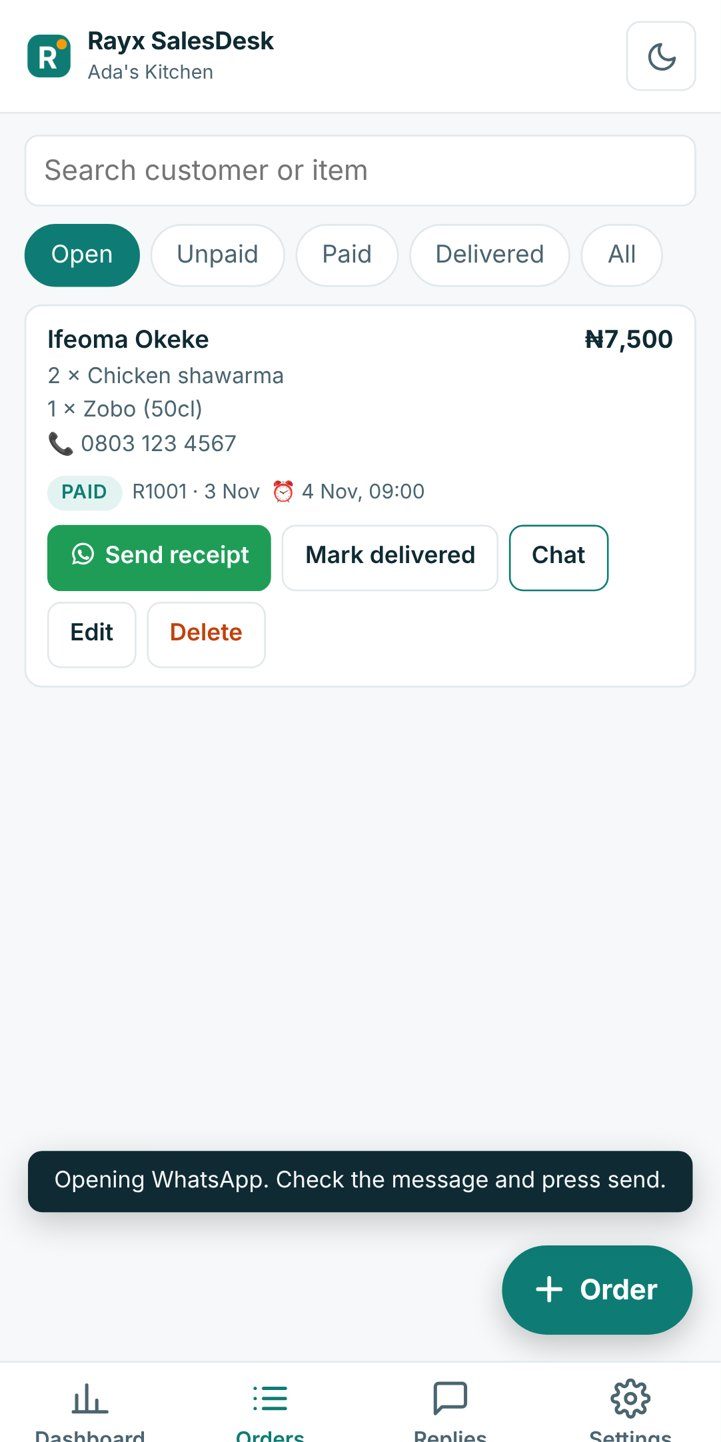
Every order in one list: unpaid, paid or delivered. Set a follow-up and SalesDesk reminds you when it's time to chase payment or delivery.
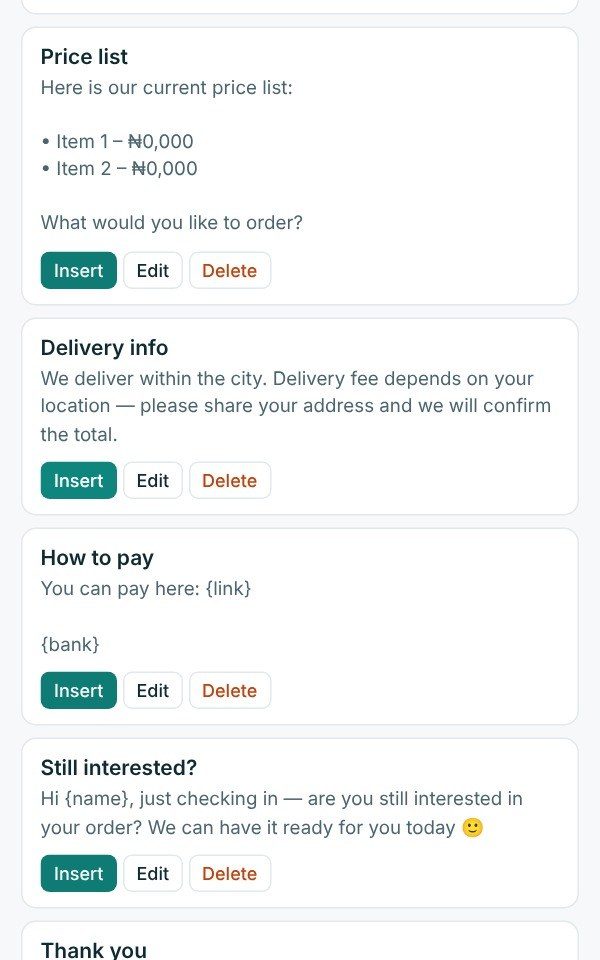
Answer the same questions in seconds
Price list, delivery info, how to pay: save them once and send them with the customer's name filled in.
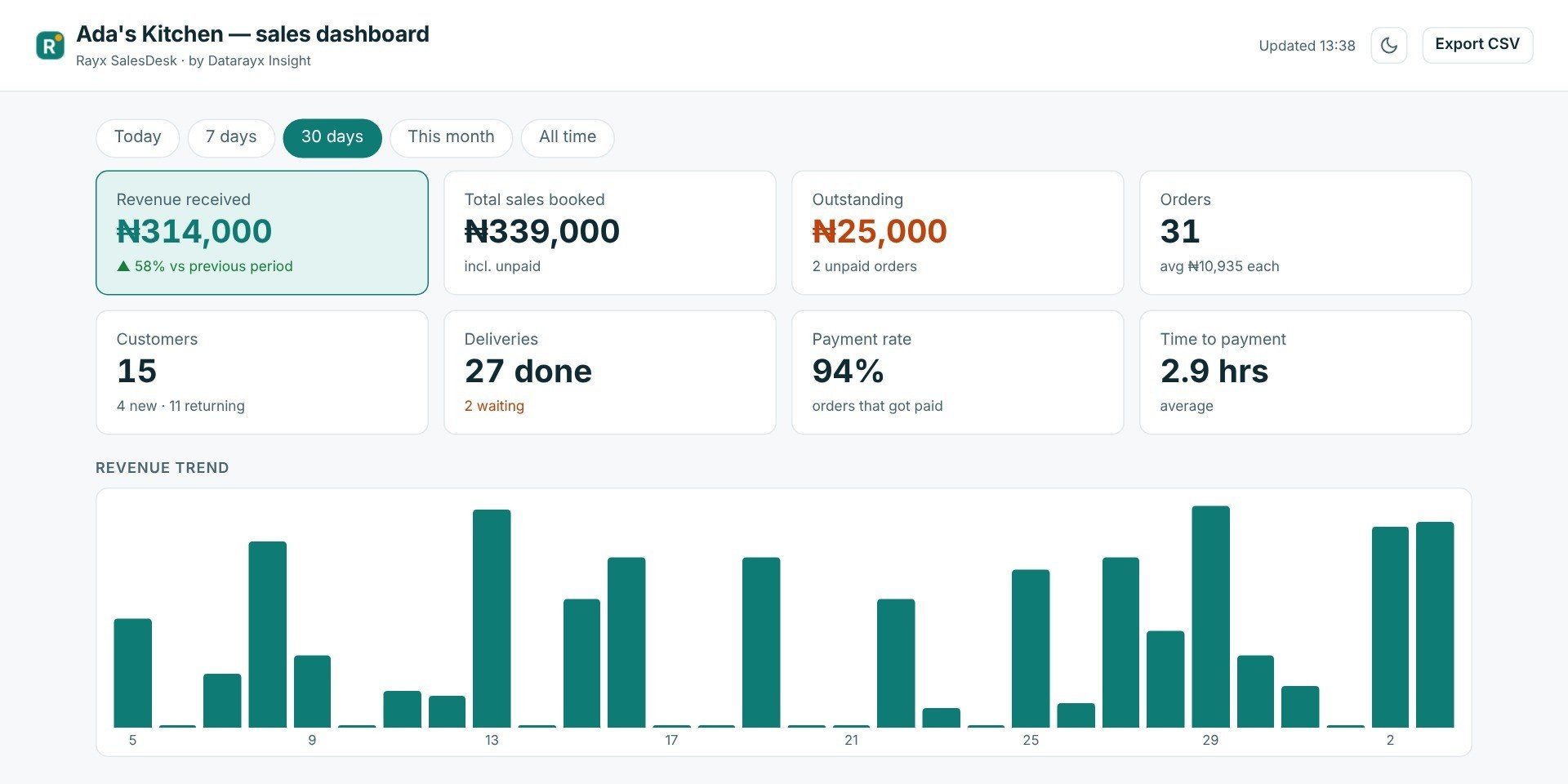
Know exactly how much you made, today or this month
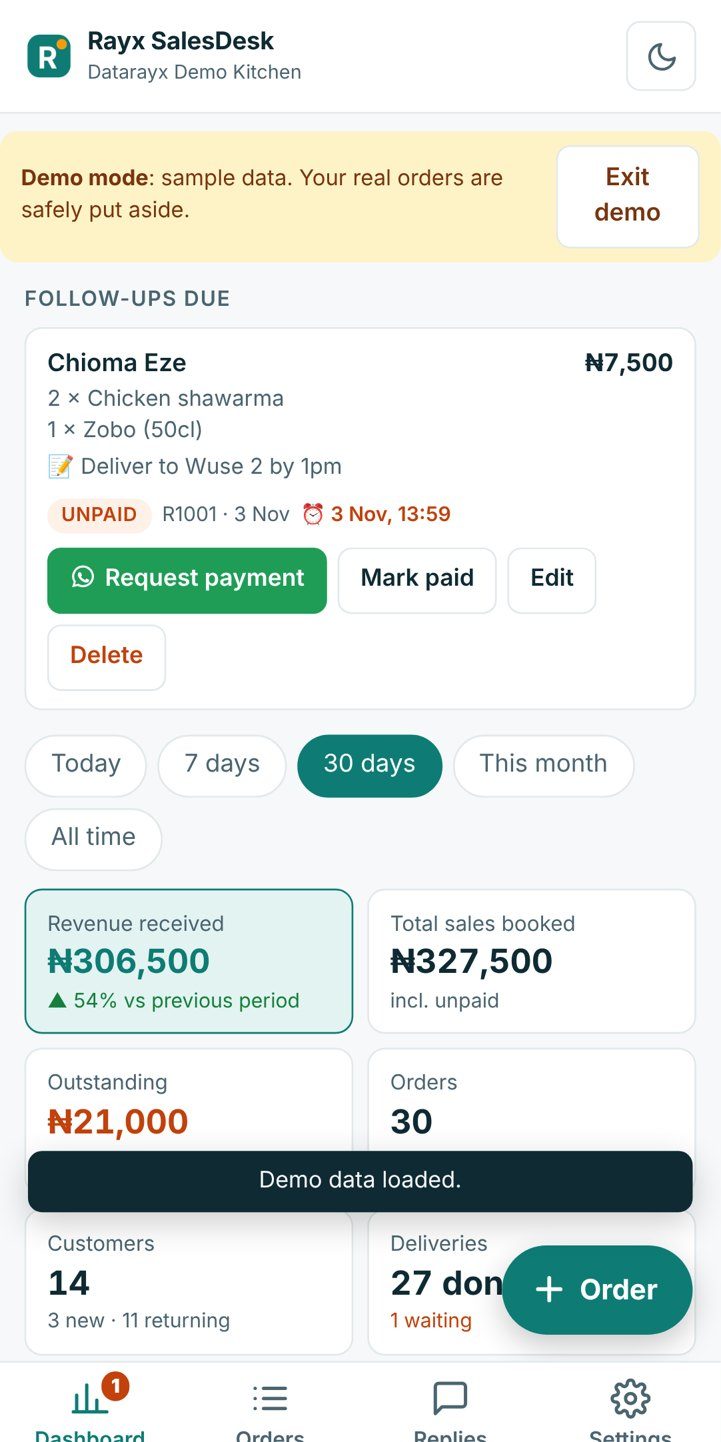
Revenue, money still owed, orders, new and returning customers, deliveries, payment rate, best customers and best-selling items. Open it full screen in its own tab.
Selling from your phone? There's an app for that.
Rayx SalesDesk Mobile gives you the same orders, payment requests, receipts and dashboard on your phone. Tap a button and WhatsApp opens with the message ready to send.
- Install it from your browser, no app store needed
- Works offline
- On Android, share a customer's message straight into a new order
Android: Chrome › Install app. iPhone: Safari › Share › Add to Home Screen.
Your customers, your data, your number
Stays on your device
Orders and settings are stored in your own browser. Nothing is uploaded to us or anyone else.
Safe for your WhatsApp number
No bulk messaging and no automatic sending. Every message waits for you to press send.
No tracking
No ads, no analytics, no message reading. It only sees the name of the chat you have open.
Questions
Is it free?
Yes. The Chrome extension and the phone app are free to use.
What do I need?
On a laptop or desktop: Google Chrome and WhatsApp Web. On a phone: any modern browser for Rayx SalesDesk Mobile, plus the WhatsApp app.
Can it get my WhatsApp number banned?
SalesDesk never sends messages by itself and never bulk-messages anyone. It only places a message in the chat for you to review, so you're sending exactly as you normally would.
Where is my data stored?
Only on your own device, in your browser. You can export your orders to CSV or make a backup file at any time. Read the privacy policy.
Do my laptop and phone share orders?
Not automatically. Each device keeps its own orders so nothing ever goes to a server. To move them, make a backup on one device and choose Restore, then Combine, on the other: new orders are added and nothing is lost. SalesDesk also reminds you when it's time to back up.
Is there a video guide?
Yes. Watch the walkthrough and step-by-step tutorials on the Datarayx Insight YouTube channel.
Which currencies are supported?
Naira by default, plus Cedi, Shilling, Rand, Dollar, Pound and Euro.
Who makes Rayx SalesDesk?
Datarayx Insight, a registered business. Questions or problems? Contact support.
Turn your chats into sales you can track
Free. Takes a minute to set up. Try it with demo data first.